
If your team uses AI every day for drafting content, writing code or analysing data, you may have noticed the computers themselves starting to struggle. Tools like Microsoft Copilot and ChatGPT are now part of normal working life, and the laptops most businesses bought three or four years ago were never designed for that workload.
NVIDIA’s answer arrived this week. At GTC on 31 May, NVIDIA and Microsoft announced RTX Spark, which brings the chip behind NVIDIA’s desktop AI supercomputer to ordinary Windows laptops and compact desktops. Here’s what was announced and what it means for your next hardware refresh.
What is NVIDIA Spark?
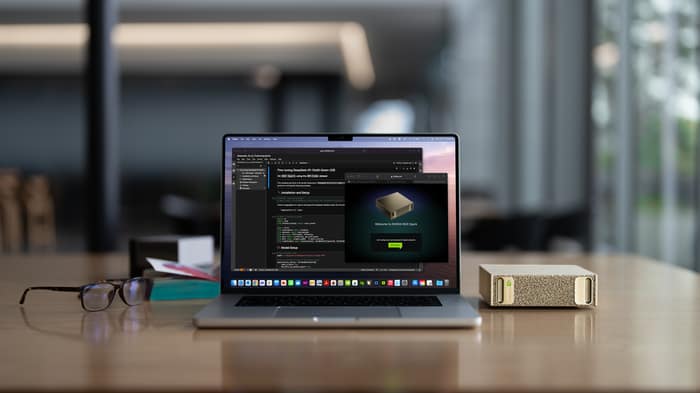
NVIDIA launched the DGX Spark in October 2025, billed as the world’s smallest AI supercomputer. It packs the GB10 Grace Blackwell chip, 1 petaflop of AI performance and 128GB of unified memory into a box that sits on a desk, and sells for around US$4,700. Developers use it to run AI models with up to 200 billion parameters locally.
The new announcement takes the same technology mainstream. RTX Spark puts up to 6,144 Blackwell GPU cores, 20 power-efficient Arm CPU cores and up to 128GB of unified memory into thin and light Windows laptops. The first wave includes the Microsoft Surface Laptop Ultra, Dell XPS 16 Creator Edition, HP OmniBook Ultra 16, Lenovo Yoga Pro 9n, ASUS ProArt and MSI Prestige, arriving from our spring 2026.
Why today’s computers are struggling with AI
NVIDIA itself says AI workloads are “quickly outgrowing the memory and software capabilities” of the PCs people rely on today. A standard business laptop with 16GB of RAM was fine for email, Office and a browser. It is not fine for running AI assistants while generating images, transcribing meetings and keeping thirty browser tabs open.
We see this most in IT, marketing and web development roles. AI coding assistants are memory-hungry. Image and video generation leans heavily on the GPU. Add a couple of dev environments or design tools and the machine simply runs out of headroom. The result is familiar: fans at full speed, batteries flat by lunchtime, and staff waiting on their machines instead of working.
What makes Spark different
The big change is unified memory. In a normal PC the graphics card has its own small pool of memory, typically 8 to 16GB, and AI models that don’t fit simply can’t run. Spark gives the CPU and GPU shared access to up to 128GB, so large AI models can run directly on the device.
That means faster responses, no per-query cloud costs and, importantly for business, your data stays on the machine rather than being sent to someone else’s server. Microsoft is also optimising Windows 11 for these chips, with the goal of running AI agents locally and securely.
What this means for your business
Our advice: don’t panic-buy, but do plan. First generation devices will carry premium pricing when they reach New Zealand from spring onward. The sensible move is to factor AI capability into your normal hardware lifecycle planning now:
- If you’re replacing laptops in the next 12 to 24 months, AI performance is now a genuine spec consideration.
- Give the high-spec AI devices to the roles that need them, such as IT, marketing and development. Standard business laptops are still fine for everyone else.
- Running AI locally can simplify privacy and compliance conversations because sensitive data never leaves the device.
FAQ
Do I need an AI PC right now?
No. Cloud-based tools like Copilot and ChatGPT work on existing hardware. But if your team’s machines are already struggling, your next refresh should account for AI workloads.
Will my current computers stop working with AI tools?
No. Cloud AI tools will keep working. The difference is speed, battery life and the ability to run larger AI workloads on the device itself.
When can New Zealand businesses buy RTX Spark laptops?
The first devices from Microsoft, Dell, HP, Lenovo, ASUS and MSI are expected from spring 2026.
Thinking about your next hardware refresh, or hearing from staff that their machines can’t keep up? Talk to us about a practical upgrade plan that matches devices to roles without overspending. Book an IT Review.